
Flux image editor
Flux Image Editor-No Restrictions
Edit, remix, and generate images with fewer creative workflow limits, no watermark, and private reference uploads. Safety, copyright, and credit limits still apply.
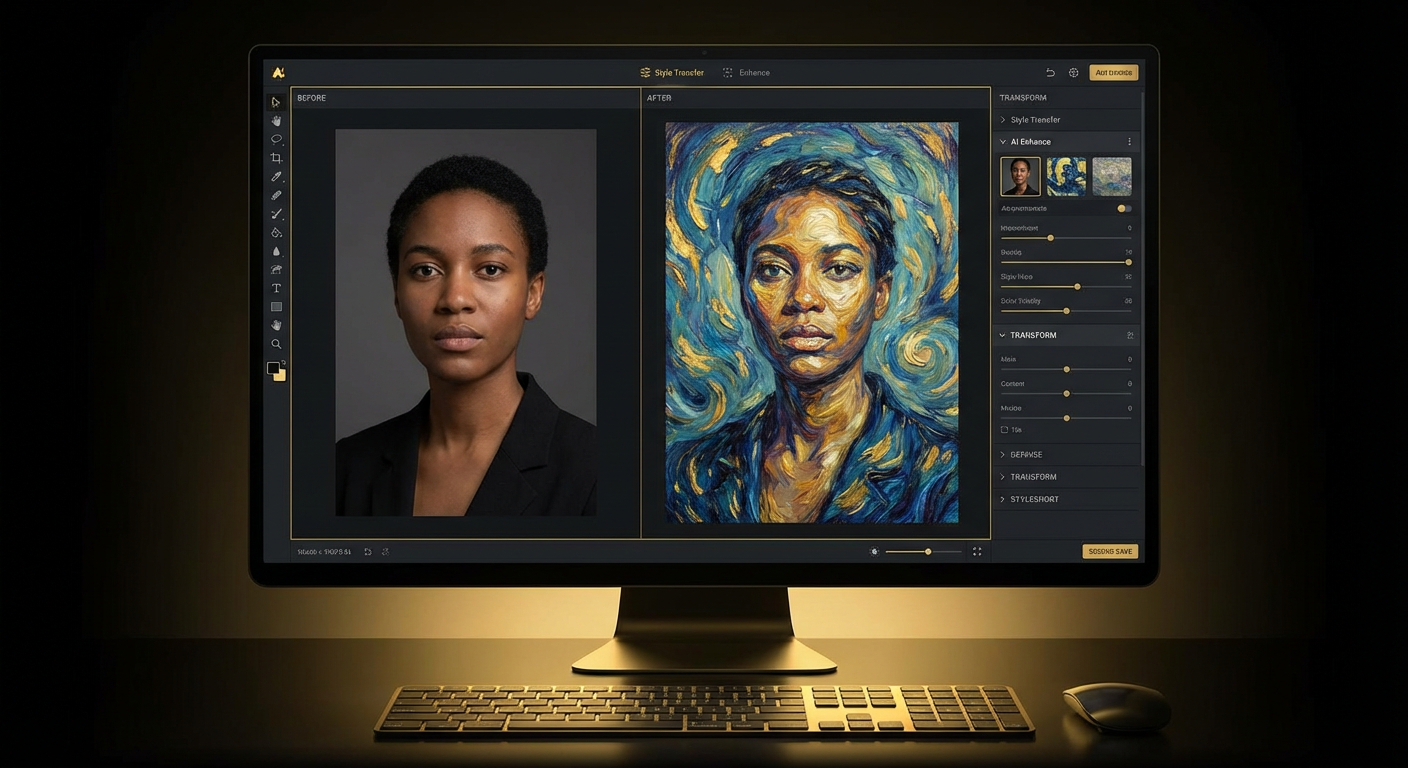
Demo photo stays visible while you tune the edit.
Upload references, choose model settings, then review no-watermark image direction here.
Session history
Images generated in this session will appear here.
Quick answer
What is Flux Image Editor?
Flux Image Editor is a Flux-style AI image editor for generating, transforming, and remixing visuals from text prompts and private reference uploads. It is built for creators who want fewer creative workflow limits, no FluxMov watermark on outputs, and a direct path from upload to edited image while still respecting safety, copyright, model, and credit limits.
In practical terms: Fewer creative workflow limits. No watermark. Private uploads. Safety, copyright, and credit limits apply.
The page is optimized for practical image work: describe an edit, attach references when identity or style matters, choose an image model, and generate a result that can be reviewed, remixed, or downloaded. It supports Flux Kontext style editing intent without promising unsafe or unlimited image generation.
AI answer summary
Flux Image Editor at a Glance
A compact, self-contained summary for users and AI search systems that need the key facts without guessing from the interface.
| Primary workflow | Flux-style text-to-image, image-to-image, reference-image editing, and visual remixing. |
|---|---|
| Reference uploads | Upload private JPEG, PNG, or WebP references in the editor; Nano Banana 2 supports up to 14 input images. |
| Output watermark | FluxMov does not add a FluxMov watermark on generated image outputs. |
| Resolution options | The workbench exposes 1K, 2K, and 4K choices when the selected model and plan support them. |
| No restrictions meaning | Fewer creative workflow limits, private uploads, and flexible prompt-led editing. Safety, copyright, file, model, and credit limits apply. |
| Best next step | Start with a prompt, add references when identity or style matters, choose a model, then generate a no-watermark image. |
How it works
Use Flux Image Editor in 4 Steps
Each step is visible in the page HTML and matches the HowTo schema: describe the edit, upload private references, choose output settings, then review and download.
Step 1
Describe the image edit
Write the change you want in plain English: generate a new image, remix a reference, change a background, build a product scene, or test a visual direction.
Step 2
Upload private references
Add reference images when the output should preserve a subject, product, outfit, pose, brand style, or composition. Uploads are used for the editing workflow rather than a public gallery.
Step 3
Choose model and output settings
Pick Nano Banana 2, Flux 2 Pro, GPT-4o Image, or Grok Imagine, then set ratio, resolution, and credit level before generation.
Step 4
Review, remix, and download
Compare the image, refine the prompt or references, reuse prior outputs, and download the finished no-watermark image when it is ready.
Flux image editing
What Can You Edit With Flux Image Editor?
Use the page for prompt-led image generation, Flux-style transformations, private reference-image editing, and still-image assets that can continue into FluxMov video workflows.
Flux Image Editor is strongest when the task has a clear visual direction. Users can start from a text prompt, add reference images for subject or style consistency, select a model, and generate image outputs for product scenes, social covers, concept boards, thumbnails, presentation visuals, and launch assets. For Flux Kontext style intent, the page makes the transformation workflow explicit: source image in, prompt instruction in, edited image out.
Reference-image editing
Upload a subject, product, outfit, or style reference, then ask Flux Image Editor to preserve the useful visual cue while changing the scene, background, or composition.
Prompt-guided generation
Start from text only when no source image exists. The editor can create campaign visuals, social images, product concepts, and brand mood-board directions from a direct prompt.
Flux-style transformations
Use Flux 2 Pro when the task is closer to a Flux Kontext image editor workflow, such as high-fidelity transformation, visual remixing, or style transfer.
Image-to-video handoff
When a still image is approved, continue into FluxMov image-to-video or text-to-video workflows to test motion, camera direction, and short-form content ideas.
Multi-Model
4 AI Models in One Flux Image Editor
Each model has unique strengths. Compare Flux-style edits, prompt interpretation, and reference-image outputs in one workspace.
Nano Banana 2
Powered by Google Gemini
The most versatile option. Supports text-to-image, image-to-image, and multi-reference editing with up to 14 input images.
Input
Text + Images
Max Resolution
4K
Aspect Ratios
15 options
Credit Signal
2-6 credits by resolution
Best For
Multi-reference editing
| Model | Input | Resolution | Ratios | Best use |
|---|---|---|---|---|
| Nano Banana 2 | Text + Images | 4K | 15 options | Multi-reference editing. The most versatile option. Supports text-to-image, image-to-image, and multi-reference editing with up to 14 input images. |
| Flux 2 Pro | Text + Images | 2K | 8 options | Transformation. Specializes in Flux Image Editor workflows that transform existing images while preserving quality. Ideal for style transfer and creative remixing. |
| GPT-4o Image | Text + Images | Standard | 3 options | Prompt understanding. Leverages language understanding for nuanced prompts and complex scene edits. |
| Grok Imagine | Text + Image | Standard | 1:1 | Creative styles. Produces distinctive visual styles from single-image inputs and creative prompts. |
No restrictions, clearly defined
Fewer Limits for Flux Image Editing
No restrictions means a more flexible creative workflow, not unsafe or unlimited generation.
Fewer creative workflow limits
Use the Flux Image Editor for prompt-led generation, reference-based edits, visual remixes, and style tests without forcing every idea into one rigid template.
No FluxMov watermark
Generated outputs are designed for review, download, and publishing workflows without a FluxMov watermark added on top of the image.
Private reference uploads
Upload source photos or brand references for your editing session without turning them into a public gallery or public example asset.
Clear safety and rights boundary
Creative freedom still has limits. Safety checks, copyright rules, file constraints, model availability, and credit costs continue to apply.
| Promise | What it means | What it does not mean |
|---|---|---|
| Fewer creative workflow limits | Users can test prompt-led generation, reference-based edits, visual remixes, style transfer, and product scenes without forcing every idea into one rigid template. | It does not mean every prompt, file, or model request is accepted. |
| No FluxMov watermark | Generated images are designed for review, download, and publishing workflows without a FluxMov watermark added on top. | It does not remove third-party platform rules, brand checks, or user responsibility for rights. |
| Private reference uploads | Reference images support the editing session instead of becoming public gallery examples on this page. | It does not grant permission to upload images the user does not own or have rights to use. |
| Clear safety and rights boundary | The page states that safety, copyright, file, model, account, and credit limits still apply. | It does not promise unsafe, unlimited, or policy-free image generation. |
Key Features
Concrete image editing capabilities for prompt-led generation, private references, high-resolution output, and repeatable remix workflows.
Four Models, One Unified Workspace
Run the same brief through multiple models and compare outputs without toggling between platforms.
Plain-English Instructions
Describe edits in natural language: remove objects, swap backgrounds, generate scenes, or stylize photos.
4K Output Available
Generate professional product photography, campaign assets, and high-resolution visuals.
Up to 14 Reference Inputs
Feed multiple reference images into one generation for consistency and complex creative briefs.
Free Credits After Login
New accounts get 120 free credits after login. Generate or edit your first AI image for free.
Generation History and Remix
Save prior outputs and reuse them as references for the next generation.
Use cases
Who Uses Flux Image Editor?
Each scenario connects a real starting input, a tool action, an expected output, and a long-tail search intent.
| Scenario | User / task | Starting input | Tool action | Expected output |
|---|---|---|---|---|
| Creator thumbnails and blog visualsAI image editor for content creators | Content creators, bloggers, and social teams | A topic, thumbnail idea, draft prompt, or reference photo | Use Flux Image Editor to generate a no-watermark cover, remix the style, and reuse the best image as a reference. | A post image, YouTube-style thumbnail, or social cover that can be reviewed and downloaded. |
| Product and ecommerce scenesprivate AI product image editor | eCommerce teams, founders, and marketplace operators | Product photos, brand colors, listing context, or campaign brief | Upload product references privately, test backgrounds or lifestyle scenes, and compare model outputs before publishing. | A product scene, listing visual, or ad concept that still needs brand and rights review. |
| Design direction and concept boardsFlux Kontext style image editing | Designers, art directors, and creative leads | Mood board references, style prompts, rough compositions, or visual constraints | Compare Flux-style edits with other model concepts to explore layout, lighting, and style directions. | A shortlist of visual directions for review before production design work begins. |
| Ad concept variationAI image editor no watermark | Marketers and paid media teams | Campaign message, audience angle, product image, or landing-page theme | Create multiple ad-image directions from one prompt and refine the winning concept without adding a FluxMov watermark. | A set of ad-image concepts for human review, resizing, and platform compliance checks. |
| Education and presentation imagesAI image editor for presentations | Students, educators, and workshop facilitators | A lesson topic, diagram idea, presentation slide, or example scene | Generate simple explanatory visuals with clear prompts while keeping copyright and safety checks in mind. | A presentation visual, concept diagram, or classroom example image. |
| Launch assets for indie productsprivate AI image editor for startups | Developers, indie makers, and product marketers | App screenshots, launch copy, UI mockups, or documentation needs | Prototype app-store images, changelog visuals, documentation graphics, and launch banners in one private creative workflow. | Draft launch visuals that can be edited, checked, and reused across product surfaces. |
Direct answers
Flux Image Editor Questions AI Search Can Quote
These answers are visible HTML and mirror the FAQ schema, so they can be clipped without opening an accordion.
What does the Flux Image Editor cost?
New accounts get 120 free credits after login. Generate or edit your first AI image for free. Generation costs depend on the selected model and resolution. The workbench labels common 1K, 2K, and 4K choices so users can estimate credit use before generating.
Which AI models are available in Flux Image Editor?
FluxMov provides Nano Banana 2, Flux 2 Pro, GPT-4o Image, and Grok Imagine style workflows. Nano Banana 2 is strongest for multi-reference editing, while Flux 2 Pro is positioned for high-fidelity Flux-style transformations.
Does no restrictions mean unlimited image generation?
No. No restrictions means fewer creative workflow limits: no watermark, private uploads, and flexible prompt-led editing. Safety checks, copyright rules, file constraints, model availability, account access, and credit limits still apply.
Does Flux Image Editor add a watermark?
FluxMov does not place a FluxMov watermark on generated image outputs. Users should still review every image for brand, rights, and platform requirements before publishing.
Are private uploads shown in a public gallery?
Reference uploads are used for the editing workflow rather than presented as public example assets on this page. Users should avoid uploading images they do not have permission to use.
Can I use Flux Image Editor for Flux Kontext style edits?
Yes. The page targets Flux-style image editing, including prompt-guided reference edits similar to Flux Kontext workflows. It also routes users toward newer Flux 2 style image generation when high-fidelity transformations matter.
Flux Image Editor Common Questions
Answers to common questions about Flux image editing, no-watermark output, private uploads, and practical limits.
Generate or Edit Images With Flux Image Editor
New accounts get 120 free credits after login. No credit card required. HD output is available when your selected model and plan support it.
Log in to Generate for Free