Grok Imagine AI video workflow
Grok Video Generator for Grok Imagine
Use FluxMov as a Grok video generator workspace: write the prompt, add a source clip when needed, choose ratio and mode, then move into the safest matching generation workflow.
Quick answer: What is a Grok video generator?
Updated June 15, 2026A Grok video generator helps creators turn a prompt or source clip into a short Grok Imagine-style AI video workflow. FluxMov focuses the workflow into prompt writing, source checks, ratio selection, mode choice, audio planning, and safe routing before generation.
Grok Video Generator
Upload a video, write a prompt, choose ratio and mode.
What it does
What is Grok Video Generator?
Grok Video Generator helps you organize the prompt, references, audio, aspect ratio, duration, and review checks before generation.
| Main task | A Grok video generator workflow for turning social hooks, meme concepts, surreal scenes, creator skits, and prompt-to-video ideas into a structured generation brief. |
|---|---|
| Useful inputs | A prompt, optional source video, output ratio, duration, audio cue, and a Grok-style mode such as Fun, Normal, or Spicy. |
| Best output | Short Grok Imagine-style videos where originality, speed, meme energy, and shareability matter more than strict product or brand accuracy. |
| Workflow fit | Use FluxMov to choose whether the Grok idea should become text-to-video, image-to-video, or video-to-video generation, instead of guessing after credits are spent. |
| Rights note | Check likenesses, brands, private footage, music, and commercial rights before using a Grok video generator for public or paid campaigns. |
Model facts
Grok Video Generator planning facts
Use these quick facts to decide when the model fits your clip, what inputs to prepare, and which limits to check before generating.
| Fact | Answer | Source |
|---|---|---|
| Entity | Grok Video Generator is the common search phrase for Grok Imagine-style video creation and maps to xAI Imagine video-generation workflows. | xAI Grok Imagine Video model |
| Best use case | Use a Grok video generator for short social clips, meme concepts, surreal product hooks, creator skits, and high-contrast visual ideas with a clear first-second hook. | FluxMov workflow guidance |
| Input types | xAI documents text, image, and video modalities for grok-imagine-video; this FluxMov page focuses on prompt and source-clip planning, then points image anchors to Image to Video. | xAI Imagine overview |
| Generation path | Start with a prompt-only idea or a source clip; FluxMov then routes the Grok-style brief toward text-to-video, image-to-video, or video-to-video generation. | Visible workflow controls |
| Suggested duration | Use 5 to 15 second Grok videos for social hooks because shorter clips are easier to review, iterate, and publish safely. | Visible duration controls |
| Prompt length | Use 40 to 90 words with subject, action, style, camera movement, pacing, and a clear social-video payoff. | Input requirements table |
| Audio support | Plan audio as off, ambient sound, or one dialogue cue when sound improves the social concept and downstream generation workflow. | Visible audio controls |
| Known limits | Avoid celebrity likenesses, private people, protected brands, sexualized minors, and misleading political content. | Safety and rights guidance |
How to use it
How to use Grok Video Generator in FluxMov
Start with the creative job, then add the references and controls that make the model easier to evaluate.
- 1
Start with one shareable idea
Write one Grok video generator prompt that names the subject, visual twist, action, camera move, and why someone would stop scrolling in the first second.
- 2
Add a reference when identity matters
Upload a product image, character frame, style reference, or source clip when the Grok Imagine output needs a clearer visual anchor than text alone.
- 3
Choose the FluxMov workflow
Use Text to Video for prompt-only Grok ideas, Image to Video for a still visual anchor, and Video to Video when a source clip should guide the scene.
- 4
Write the audio cue last
Add one sound direction, such as crowd ambience, comedy sting, spoken line, or product sound effect, only after the Grok video hook is clear.
Input requirements
Grok Imagine input requirements and review checks
Use the table as a generation checklist. Better inputs make model comparisons more useful.
| Input | Requirement |
|---|---|
| Prompt | Use 40 to 90 words with the Grok video subject, action, style, camera movement, pacing, and a clear social-video payoff. |
| Reference image | Use a clean JPG, PNG, or WebP image when the Grok video should preserve a product, character, outfit, or visual style. |
| Source video | Use a short source clip only when motion, timing, or scene energy should guide the Grok-style video before remixing. |
| Motion direction | Keep movement simple: one camera move plus one subject action usually gives clearer results than a crowded scene. |
| Audio cue | Describe one sound layer only when it improves the Grok video concept: ambient sound, music mood, dialogue, or effect. |
| Safety and rights | Avoid celebrity likenesses, private people, protected brands, sexualized minors, and misleading political content. |
Prompt examples
Prompts that match Grok Imagine's strengths
Copy a structure, then swap in your subject, product, shot, and audio direction.
Surreal product hook
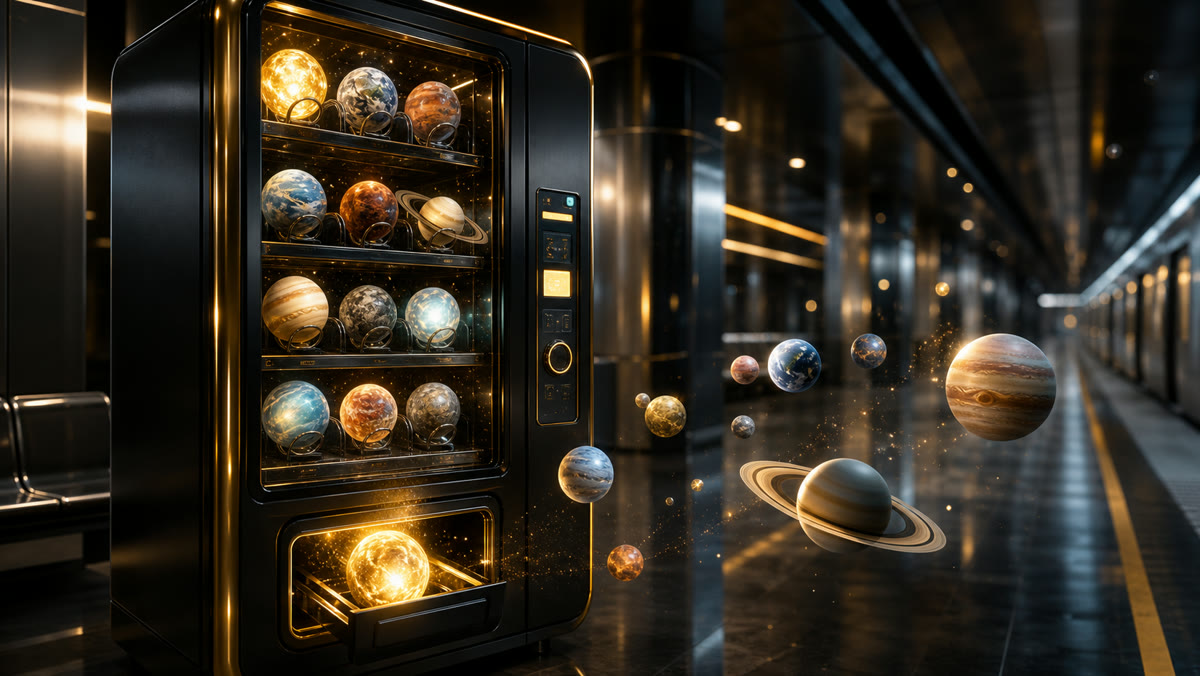
A futuristic vending machine sells tiny glowing planets in a subway station, fast camera push, bright colors, strange but polished social video, playful machine beeps.
Use this when the goal is a memorable concept that works as a vertical social hook.
Meme-ready keynote scene

A dramatic startup founder gives a keynote to a room full of friendly robots, cinematic comedy tone, exaggerated applause, slow zoom to the product logo.
This structure keeps the joke clear while still describing camera, tone, and sound.
Creator reaction clip
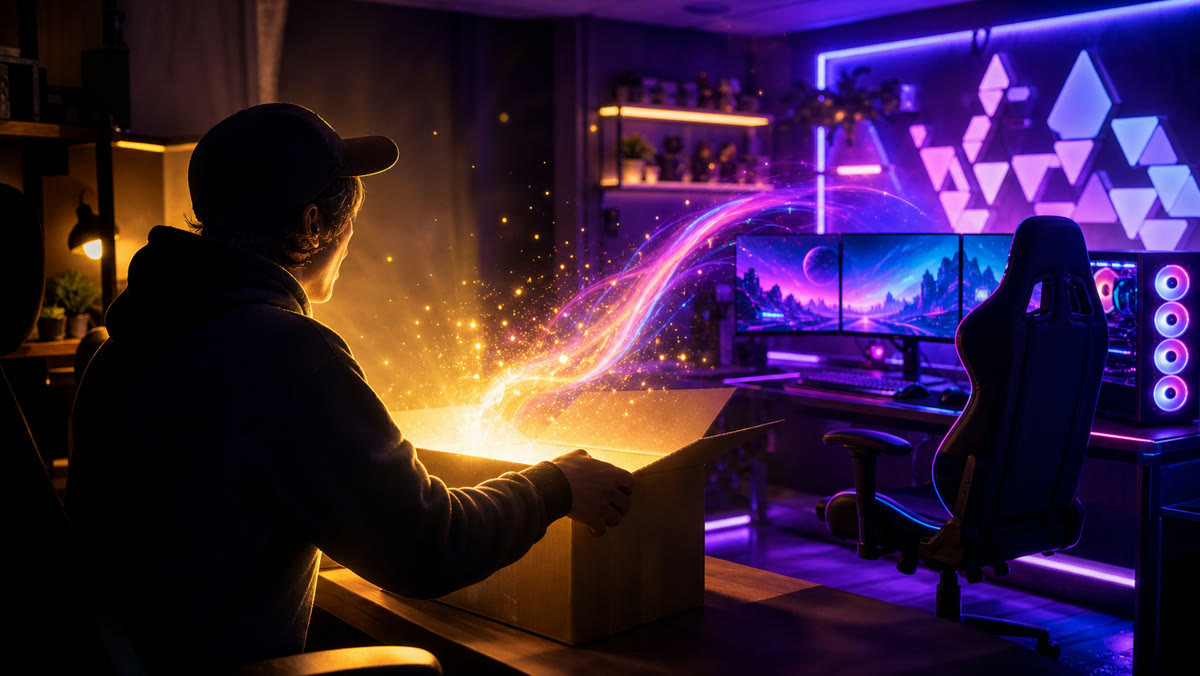
A creator opens a mysterious package and the room changes into a neon gaming setup, surprised expression, handheld camera feel, upbeat synth sting.
Use image reference if the creator identity, outfit, or product needs to stay consistent.
Model comparison
Grok Imagine vs adjacent AI video models
Choose based on the job the clip needs to perform, not only the model name.
| Model | Best for | Audio support | Prompt format | Duration | Avoid when |
|---|---|---|---|---|---|
| Grok Video Generator | Bold social concepts and fast creative ideation | Optional ambience, sound effect, or short dialogue cue | One concise social hook with subject, action, twist, and camera move | 5s to 15s | Avoid when exact product accuracy, regulated brand control, or long-form continuity is required. |
| Kling 2.6 | Short dialogue, lip sync, ambience, and sound effects | Native-audio-oriented prompt planning | One compact scene with a short spoken line or specific sound cue | 5s to 10s | Avoid when the idea is silent batch ideation or a multi-shot story. |
| Kling 3.0 | Multi-shot cinematic scenes with stronger narrative control | Native audio, voice-over, dialogue, and ambience planning | Shot-by-shot sequence with continuity notes and audio beats | 5s to 15s | Avoid when one looping shot is enough or the prompt has no story beat. |
Use cases
Best Grok Imagine workflows
Use the model where its strengths create a real advantage for the first usable draft.
Social hooks
Create short visual ideas for TikTok, Reels, Shorts, and launch teasers where the first second matters.
Meme concepts
Turn a joke, trend, or exaggerated scenario into a structured prompt with safer boundaries.
Surreal brand tests
Explore playful brand concepts before deciding whether to recreate them in a more controlled model.
Creator experiments
Draft avatar intros, reaction clips, visual skits, and quick storyboards from a single prompt.
Why FluxMov
Why plan Grok Imagine videos in FluxMov
FluxMov gives creators a visible control stack before they compare models or generate a final clip.
Clear Grok prompt before credits
The Grok video generator workflow separates the social idea, visual reference, motion, mode, ratio, and audio cue before generation.
Safer creative boundaries
Rights and likeness checks are visible before a creator uploads a reference or asks for a risky scene.
Better generation path
If the Grok idea needs prompt-only generation, a still image anchor, a source clip, or stronger motion control, FluxMov points it to the right video workflow.
Model notes
References behind this model guide
Review the public references behind the model notes so you can judge availability, audio support, and workflow fit with more confidence.
xAI
Grok Imagine Video model
Use this official model reference to check the grok-imagine-video name, input modalities, pricing basis, and cluster availability.
xAI
xAI Imagine video workflows
Use this official workflow guide to compare image generation, image-to-video, video generation, reference-to-video, and video extension paths.
FAQ
Common questions before you generate
Is Grok Video Generator the same as Grok Imagine?
Grok Video Generator is the common search phrase for creating videos with Grok Imagine-style workflows. FluxMov uses both Grok Video Generator and Grok Imagine so creators can prepare prompts, source clips, social formats, and safety checks in one place.
What can I create with a Grok video generator?
Use a Grok video generator for short social hooks, surreal scenes, meme concepts, creator skits, and bold visual experiments. Choose a more controlled workflow when exact product accuracy, regulated claims, or strict brand control matters.
Can a Grok video generator use source clips?
Yes. A Grok video generator workflow can start from a prompt or a short source clip depending on the creative task. If the idea needs a still image anchor, use Image to Video after the Grok brief is clear.
Should I include audio in a Grok video prompt?
Include audio only when it improves the Grok video. A short cue such as crowd noise, a product sound, music mood, or one spoken line is easier to evaluate than a long script.
Can I generate Grok videos directly in FluxMov?
FluxMov shows direct Grok-style generation only when provider access is enabled for the user region, account, and current integration coverage. This page always supports Grok prompt planning, image-to-video preparation, video-to-video routing, and model comparison.
Related resources
Related AI video workflows
Move from model research into the FluxMov workflow that best matches the clip you need.
Text to Video AI Generator
Use Text to Video when the Grok Imagine-style idea starts from a prompt and does not need an uploaded reference.
Create from TextImage to Video AI Generator
Use Image to Video when a product, character, outfit, or style frame should anchor the generated clip.
Animate an ImageKling 2.6 AI Video Generator
Use Kling 2.6 when audio, dialogue, ambience, and lip sync matter more than viral-style experimentation.
Compare Kling 2.6Kling 3.0 AI Video Generator
Use Kling 3.0 when the prompt needs multi-shot scene planning, stronger story flow, and native audio direction.
Compare Kling 3.0Gemini Omni AI Video Generator
Create, remix, and edit multimodal videos with prompts, images, motion modes, audio intent, and scene controls.
Compare Gemini OmniMotion Transfer AI Video Generator
Copy motion from a reference clip to a new character, avatar, image, or product shot.
Try Motion TransferLast updated: June 15, 2026
Start creating with Grok Imagine
Build a clearer prompt, upload the right references, compare the model against adjacent workflows, and generate the first usable draft in FluxMov. Log in to claim 120 free credits and generate for free.
Log in to Generate for Free